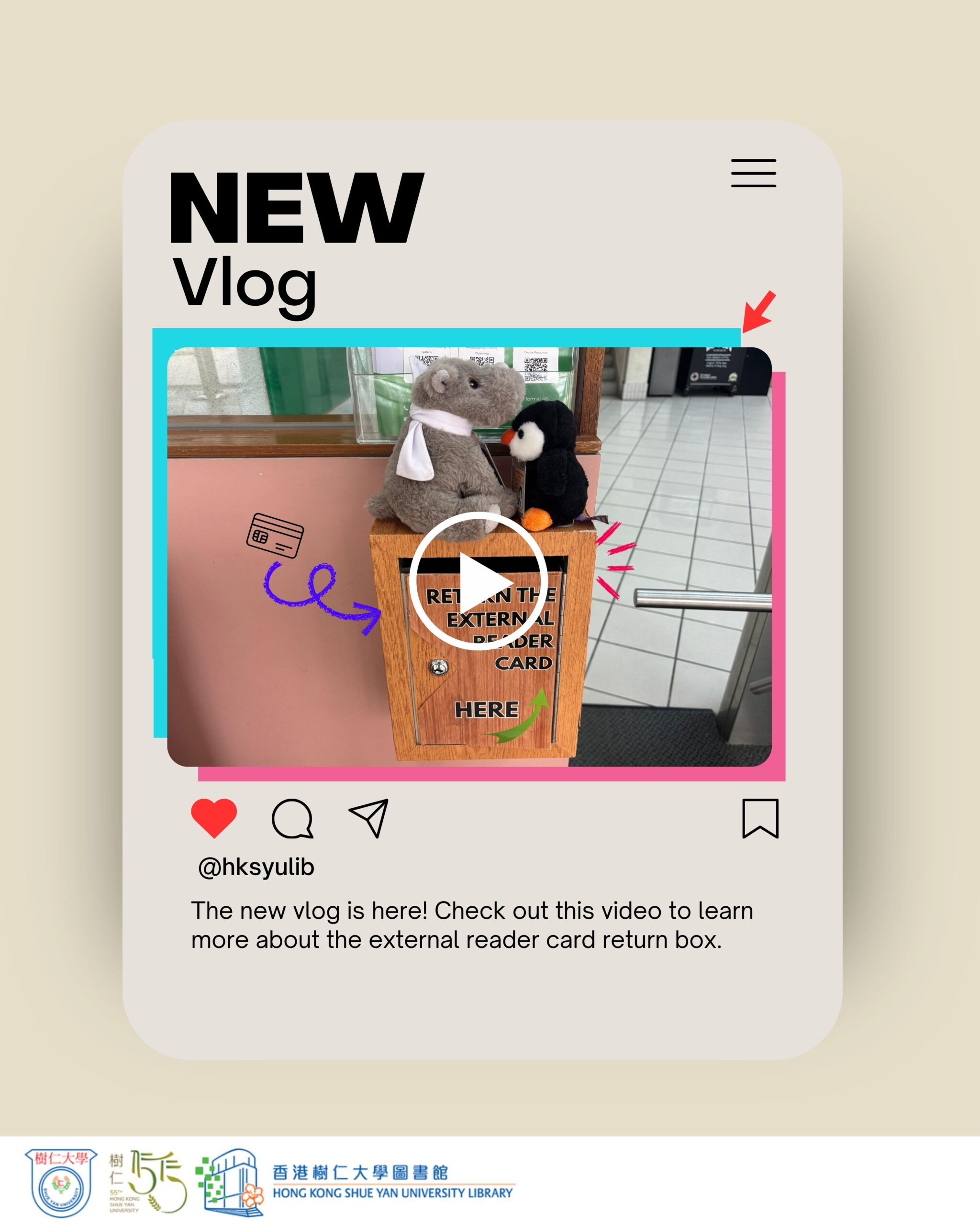
【Library Services】 Expand Your Library Access with an External Reader Cards! 

Want to explore resources beyond your home library?
The External Reader Cards let you visit other academic libraries and access a wider range of study and research materials.

How to Borrow

24/7 Smart Locker & G/F Service Counter

Availability can be checked via the Discover@ShueYan: https://hksyu.primo.exlibrisgroup.com

 How to Return
After use, simply return the card to the External Reader Card Return Box at the Library entrance—no counter service needed.

Timely return helps ensure fair access for everyone.

Borrowing external reader cards via Smart Locker: https://library.hksyu.edu/lib/smartlocker/

【圖書館服務】校外讀者證服務

想走出校園,使用更多學術資源?
校外讀者證讓你前往多間合作院校圖書館使用更多實體館藏資源,拓展學習與研究的可能性。

 如何借用

 24/7智能書櫃 / 地下層服務櫃檯

 可於Discover@ShueYan查詢: https://hksyu.primo.exlibrisgroup.com

 如何歸還
使用完畢後,請把校外讀者證放入 圖書館入口的 External Reader Card 還書箱,無須到櫃檯辦理。

請於到期日前歸還,方便其他讀者使用。

智能書櫃自助借用校外讀者證說明:https://library.hksyu.edu/lib/smartlocker/
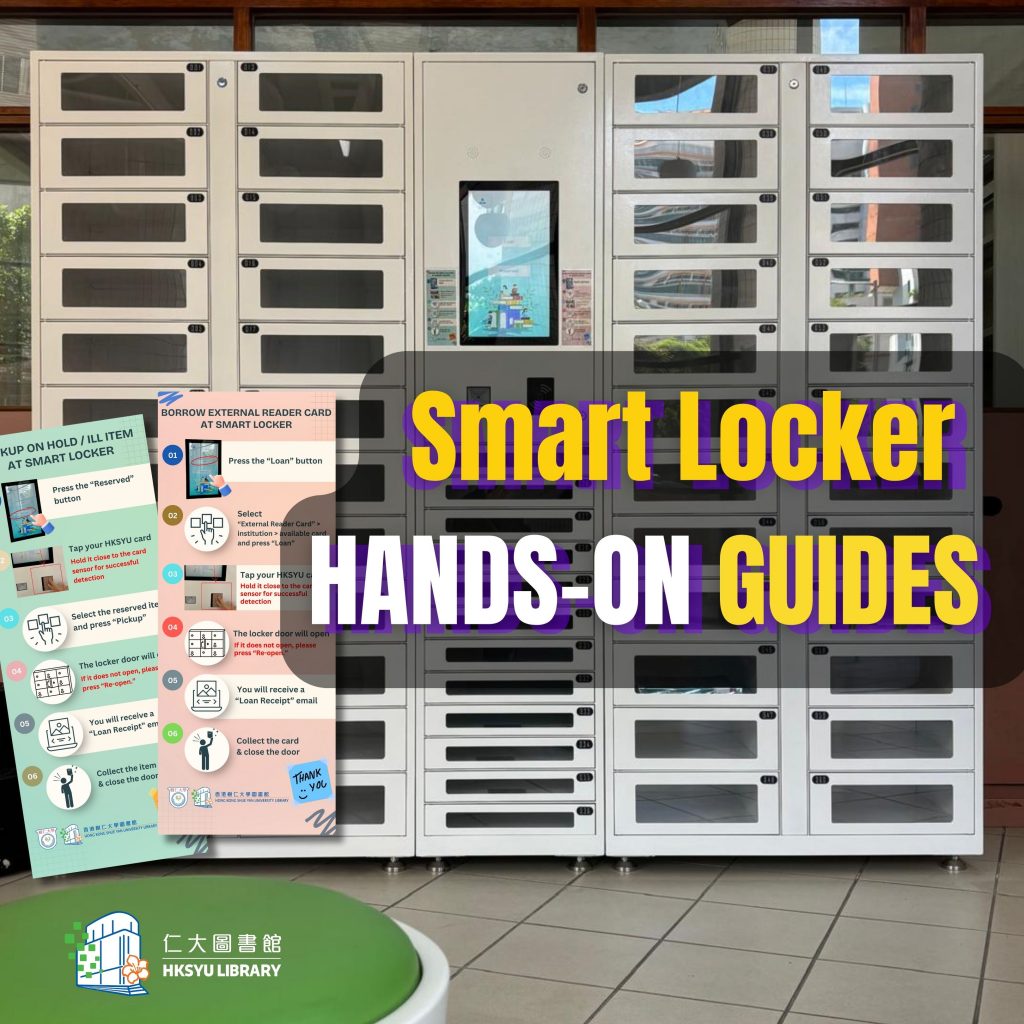
【New Facilities】Smart Locker

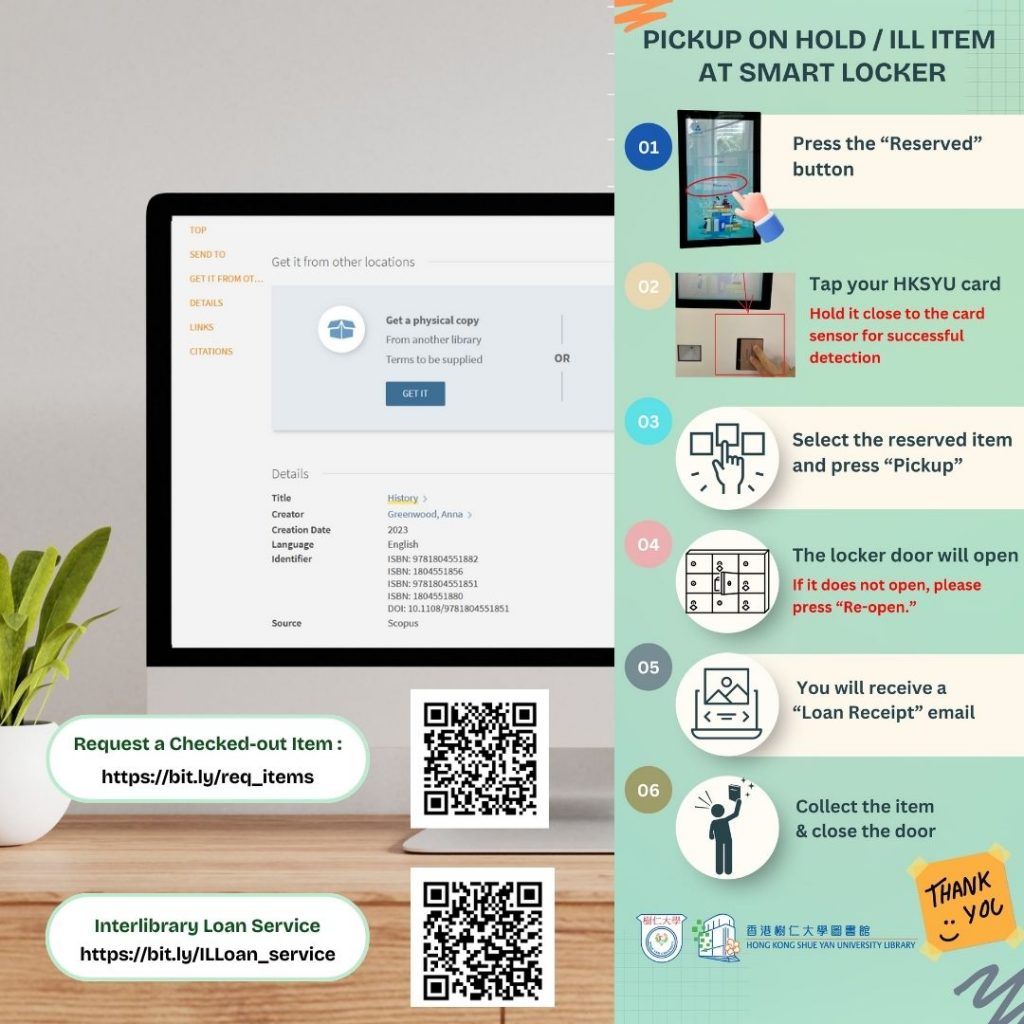
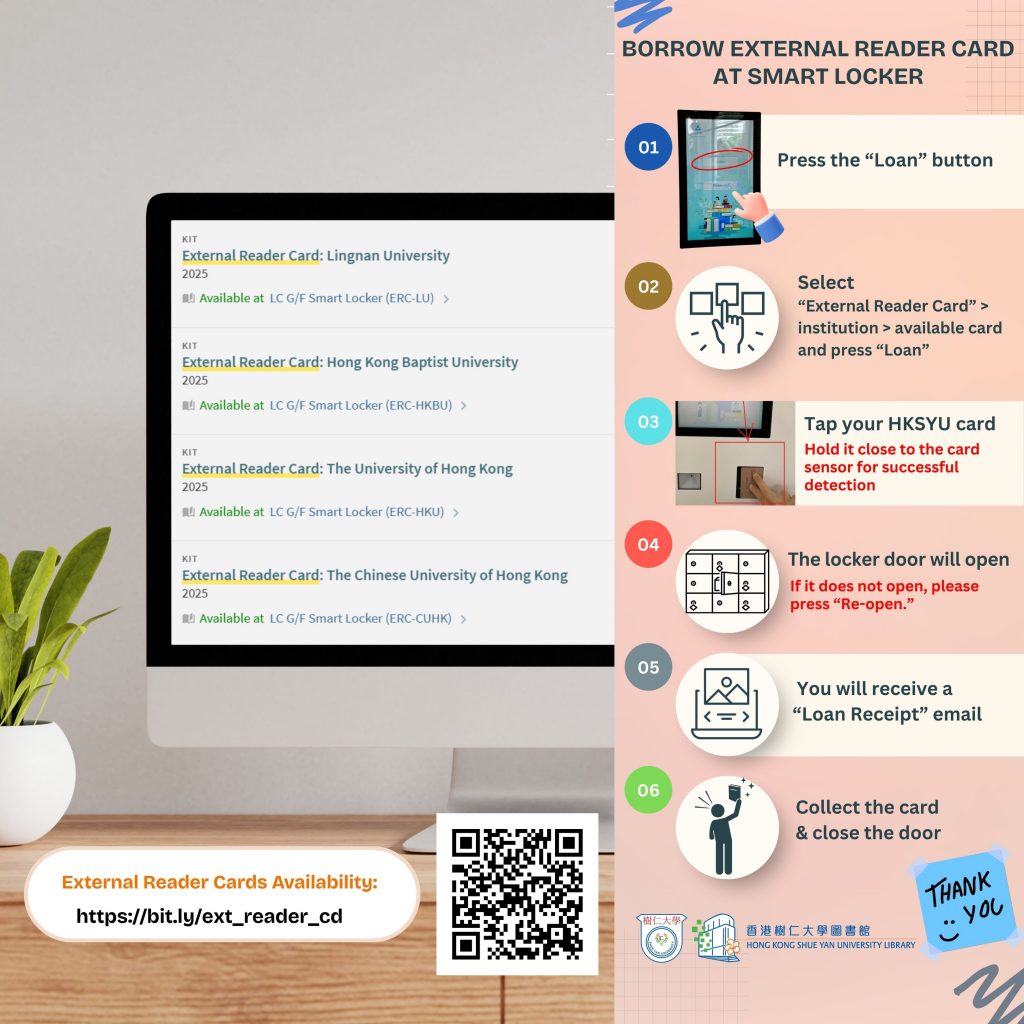
You may have observed that we have recently installed the new Smart Locker in the G/F. You can now collect reserved items (including ILL items)  and borrow four types of external reader cards without visiting the services counter.

Steps to Pick Up On-Hold / ILL Items at the Smart Locker:

Step 1 : Press the “Reserve” Button
Step 2 : Tap your student / staff card
Step 3 : Select the reserved item and press “Pickup”
Step4 : The locker door will open (If it does not open, please press “Re-open.”)
Step 5 : Collect the item & close the door

Steps to Borrow an External Reader Card at the Smart Locker:

Step 1 : Press the “Loan” Button
Step 2 : “ Select External Reader Card” > institution > available card and press “Loan”
Step 3 : Select the reserved item and press “Pickup”
Step4 : The locker door will open (If it does not open, please press “Re-open.”)
Step 5 : Collect the item & close the door

?You will receive a “Loan Receipt”  email after completing the process. 

大家有沒有留意到圖書館在地下新增了智能儲物櫃?讀者無需到服務櫃檯,便可以自行領取預約書籍(包括館際互借資料)和借用部分其他大學圖書館的讀者證。

領取預約書籍及館際互借資料的步驟 :

第一步 : 按”Reserve”按鈕
第二步 : 拍卡認證
第三步 : 選擇預約的物品后按”Pick Up”
第四步 : 櫃門打開 ( 如果櫃門沒有打開 ,請按”Re-Open” )
第五步 : 領取物品後關門 

借用校外讀者證的步驟 :
第一步 : 按“Loan”按鈕
第二步 : 按“External Reader Card” >“institution” > “available card” 最後按 “Loan”
第三步 : 拍卡認證
第四步 : 櫃門打開 ( 如果櫃門沒有打開 ,請按”Re-Open” )
第五步 : 領取物品後關門

完成後,借閱收據會透過電郵發送。

【New Facility】Launch of Library Coffee Machine Service

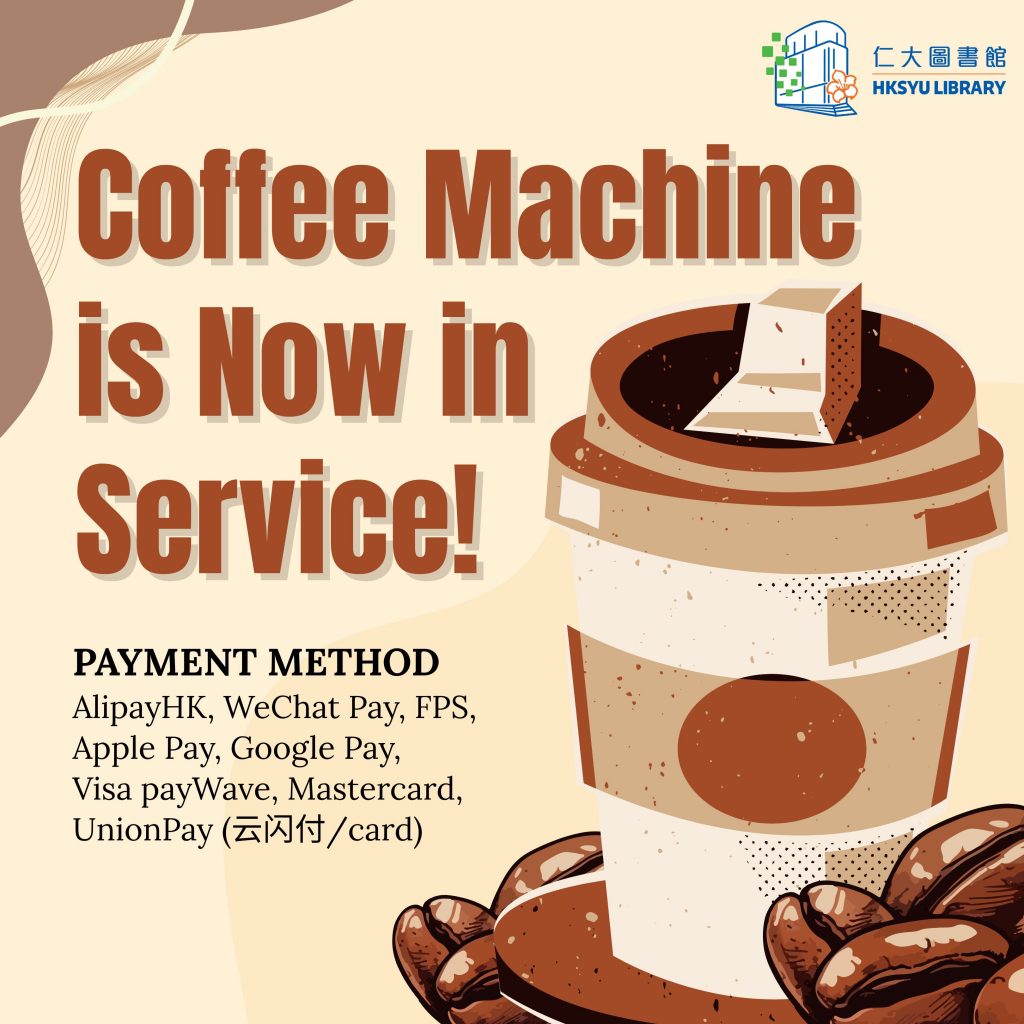
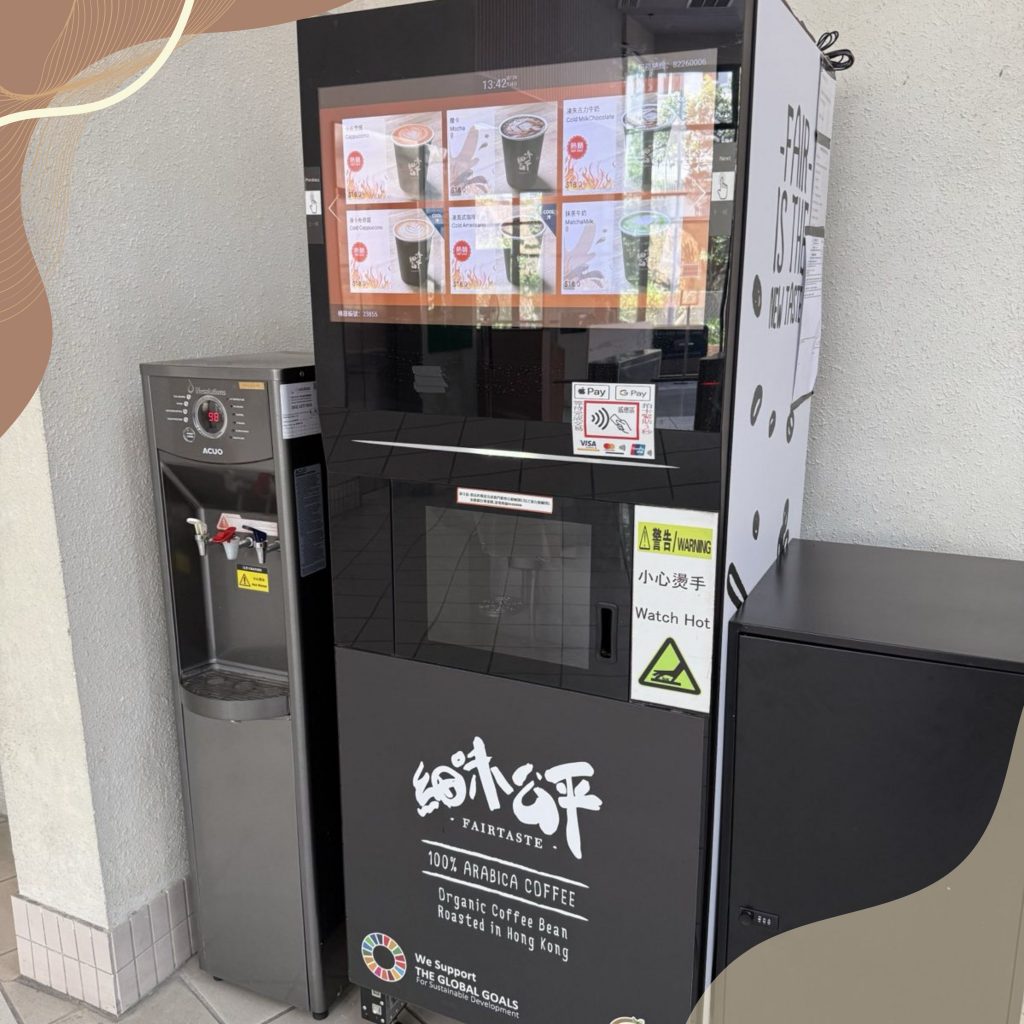
New! Coffee Machine at Library G/F Now in Service


 The Library is pleased to introduce the coffee machine for your convenience.


Supported Methods:


• AlipayHK / WeChat Pay / FPS / UnionPay (云闪付)
(Use your mobile app to scan the QR code on the payment screen)


• Apple Pay / Google Pay / Visa payWave / Mastercard / UnionPay
(Use NFC on your phone OR tap your debit card to the reader)


Note: Octopus is not accepted.


Details & Instructions:

• Flavours: cappuccino (hot/cold), americano (hot/cold), mocha (hot), latte (hot), macchiato (hot), chocolate milk (hot/cold), matcha milk (hot)


Price: $18 each


For instructions, please refer to the labels and payment screen on the machine.  

圖書館地下咖啡機,得閒飲杯鬆一鬆!

可用支付方式:
• 支付寶香港 / 微信支付 / FPS / 銀聯云闪付
(使用手機應用程式掃描咖啡機屏幕上的二維碼)


• Apple Pay / Google Pay / Visa payWave / Mastercard / 銀聯(使用手機的NFC功能或把扣賬卡放置到感應區前拍卡)


 注意:不接受八達通付款。

詳情及操作指引:


• 供應款式:卡布奇諾(熱/冷)、美式咖啡(熱/冷)、摩卡(熱)、拿鐵(熱)、瑪奇朵(熱)、朱古力牛奶(熱/冷)、抹茶牛奶(熱)


價錢:每杯$18


具體操作請參照咖啡機上的標示及付款屏幕。

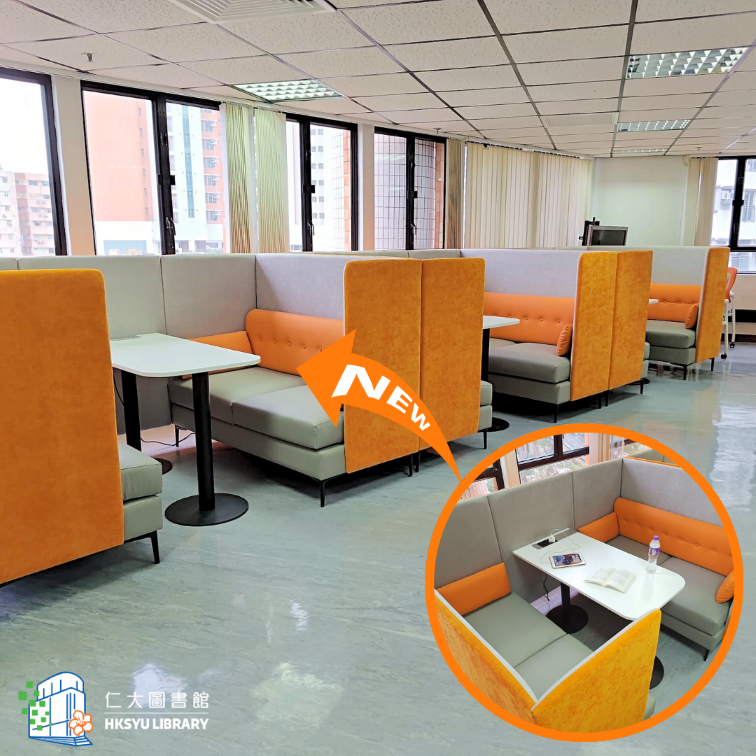
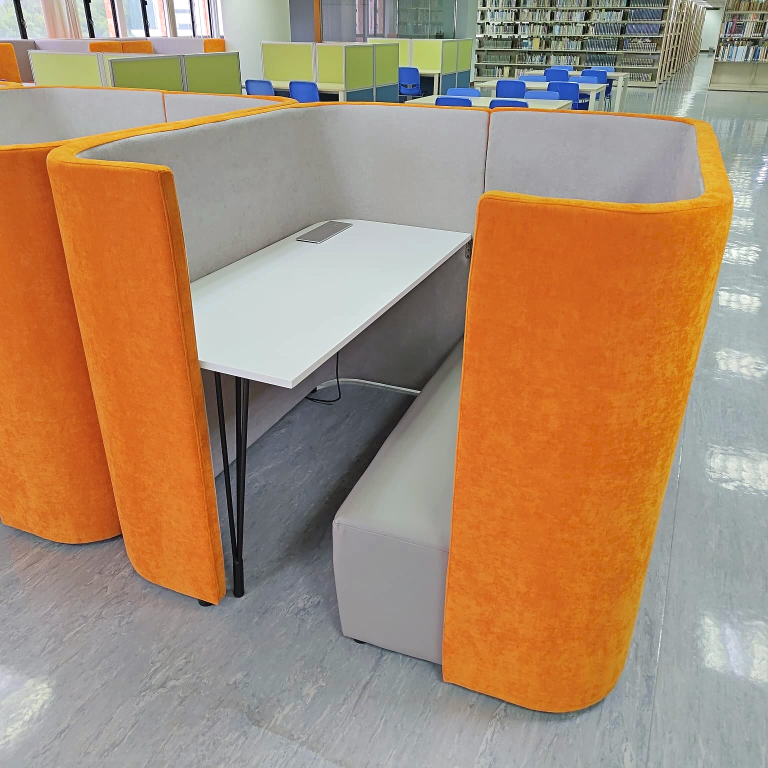
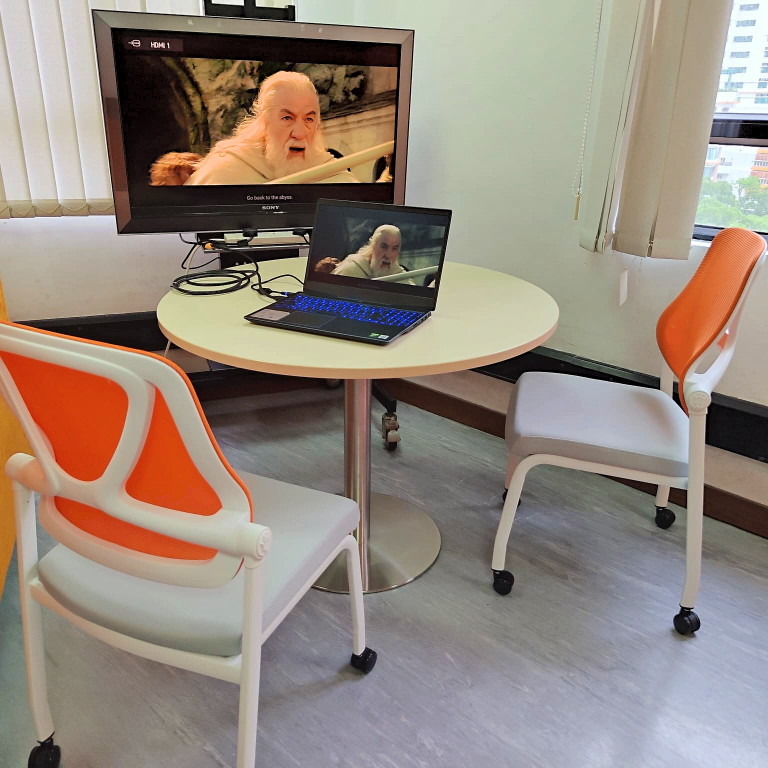
【設施翻新】圖書館五樓新面貌

圖書館五樓學習及討論空間已翻新並開放使用。

無論是需要自修,還是想與同學們一起學習,圖書館都為你提供舒適的空間。桌上均設有插座,充電和連接電子設備毫無難度。

【Facility Renovation】New Look for the 5/F of the Library

The study and discussion space on the 5/F of the Library has been renovated and is now open for use.

Whether you need a space for self-study or want to study with classmates, the Library offers you a comfortable environment.

Each table is equipped with power outlets, making it easy to charge and connect electronic devices.