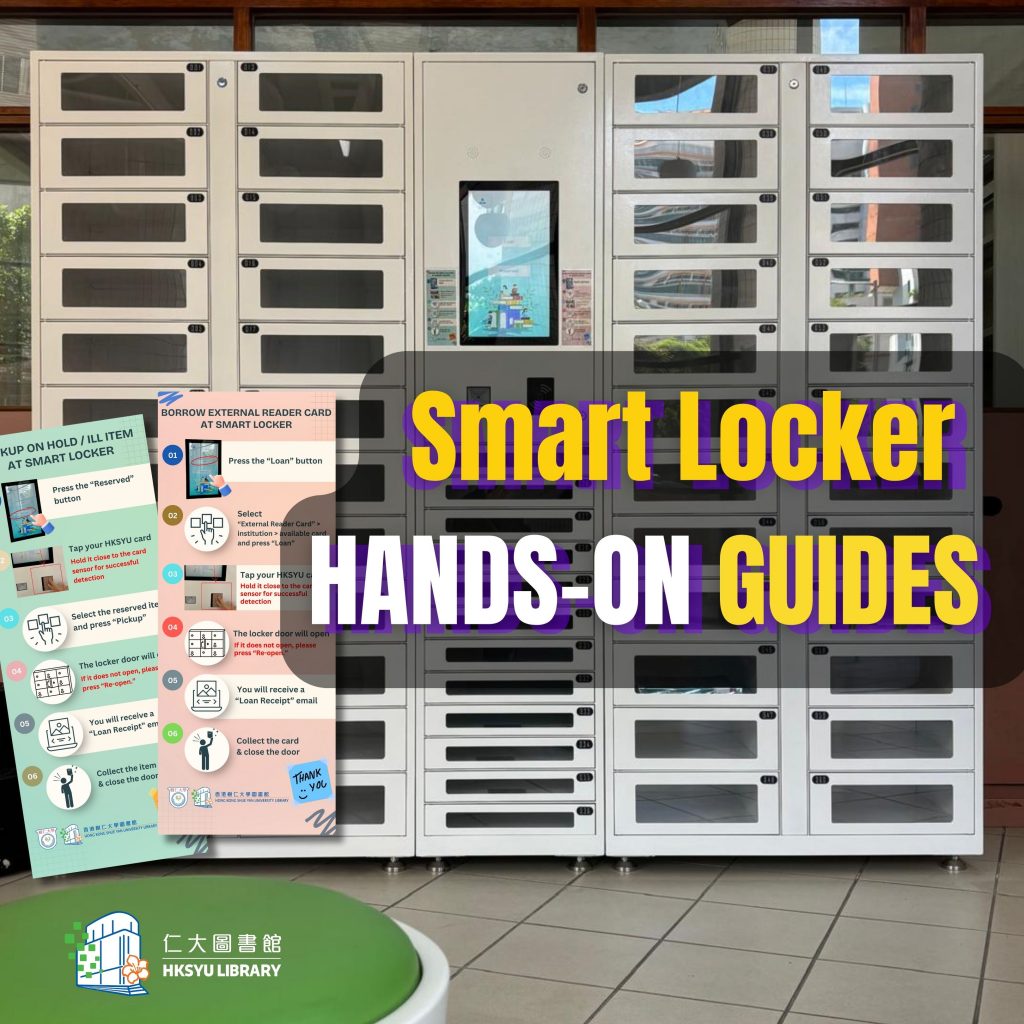
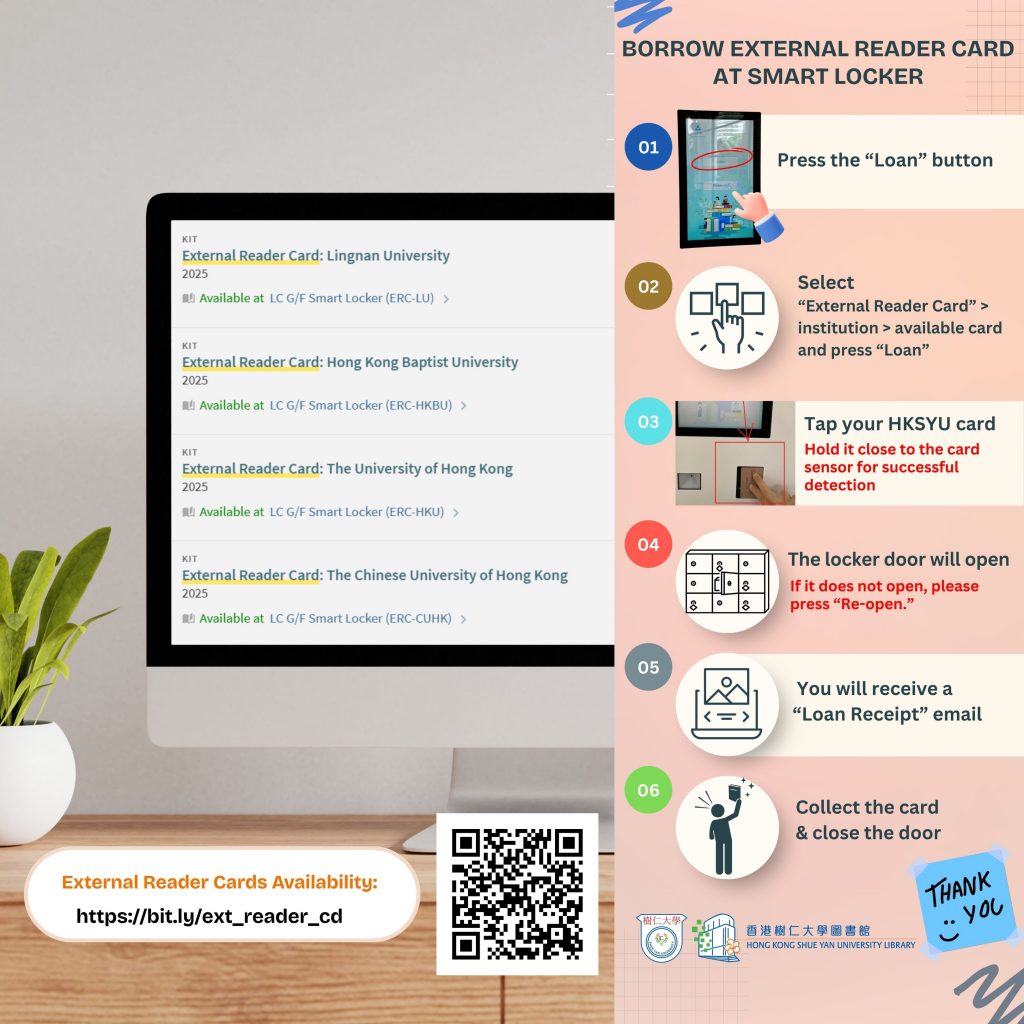
You may have observed that we have recently installed the new Smart Locker in the G/F. You can now collect reserved items (including ILL items) and borrow four types of external reader cards without visiting the services counter.
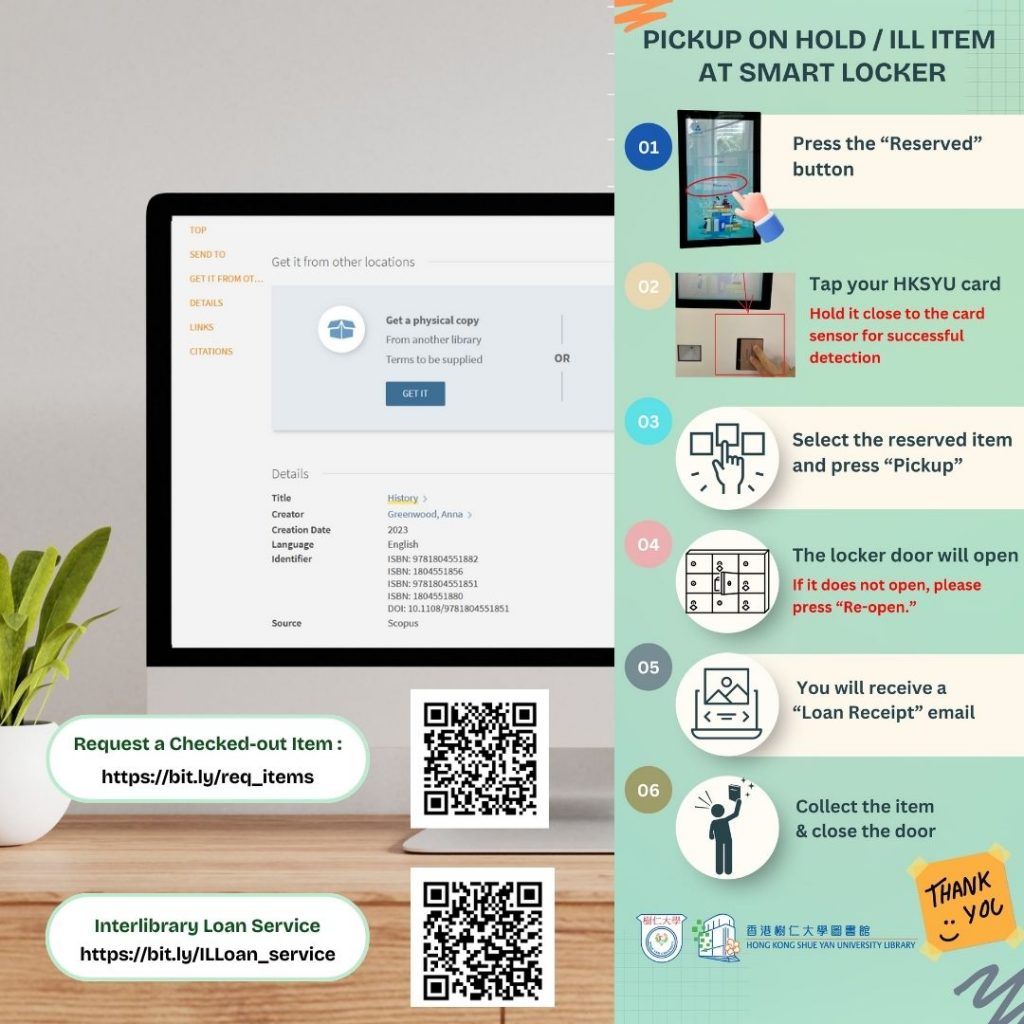
Steps to Pick Up On-Hold / ILL Items at the Smart Locker:
Step 1 : Press the “Reserve” Button
Step 2 : Tap your student / staff card
Step 3 : Select the reserved item and press “Pickup”
Step4 : The locker door will open (If it does not open, please press “Re-open.”)
Step 5 : Collect the item & close the door
Steps to Borrow an External Reader Card at the Smart Locker:
Step 1 : Press the “Loan” Button
Step 2 : “ Select External Reader Card” > institution > available card and press “Loan”
Step 3 : Select the reserved item and press “Pickup”
Step4 : The locker door will open (If it does not open, please press “Re-open.”)
Step 5 : Collect the item & close the door
?You will receive a “Loan Receipt” email after completing the process.
大家有沒有留意到圖書館在地下新增了智能儲物櫃?讀者無需到服務櫃檯,便可以自行領取預約書籍(包括館際互借資料)和借用部分其他大學圖書館的讀者證。
領取預約書籍及館際互借資料的步驟 :
第一步 : 按”Reserve”按鈕
第二步 : 拍卡認證
第三步 : 選擇預約的物品后按”Pick Up”
第四步 : 櫃門打開 ( 如果櫃門沒有打開 ,請按”Re-Open” )
第五步 : 領取物品後關門
借用校外讀者證的步驟 :
第一步 : 按“Loan”按鈕
第二步 : 按“External Reader Card” >“institution” > “available card” 最後按 “Loan”
第三步 : 拍卡認證
第四步 : 櫃門打開 ( 如果櫃門沒有打開 ,請按”Re-Open” )
第五步 : 領取物品後關門
完成後,借閱收據會透過電郵發送。