【Database Campaign】Get to Know Wiley 2025

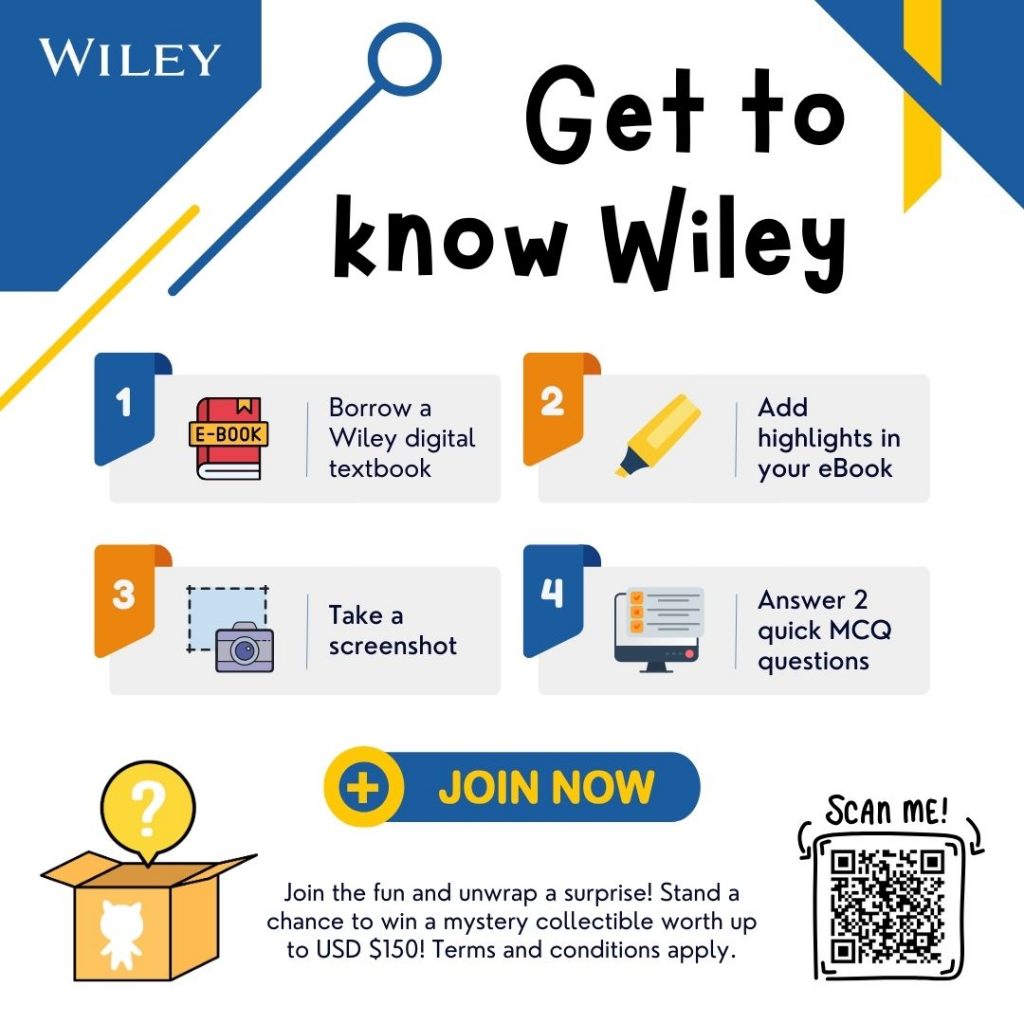
Wiley digital textbooks provide over 20,000 digital textbooks, covering in-demand topics through partnering with renowned authors and professional organizations such as CFA, CMA, CPA, AIChE, IEEE, and more. 

Campaign at a glance:
Official period: 1 Sep – 31 Jan 2026

How it works:
Borrow a Wiley digital textbook
Add a highlight in the eBook
Take a screenshot
Answer 2 quick multiple-choice questions

What’s in it?
➤10 lucky draw prizes, including collectibles worth up to USD $150

A simple, fun activity that takes just minutes to complete. Try the Wiley Database and win prizes!

Access Link: https://bit.ly/wiley_qz
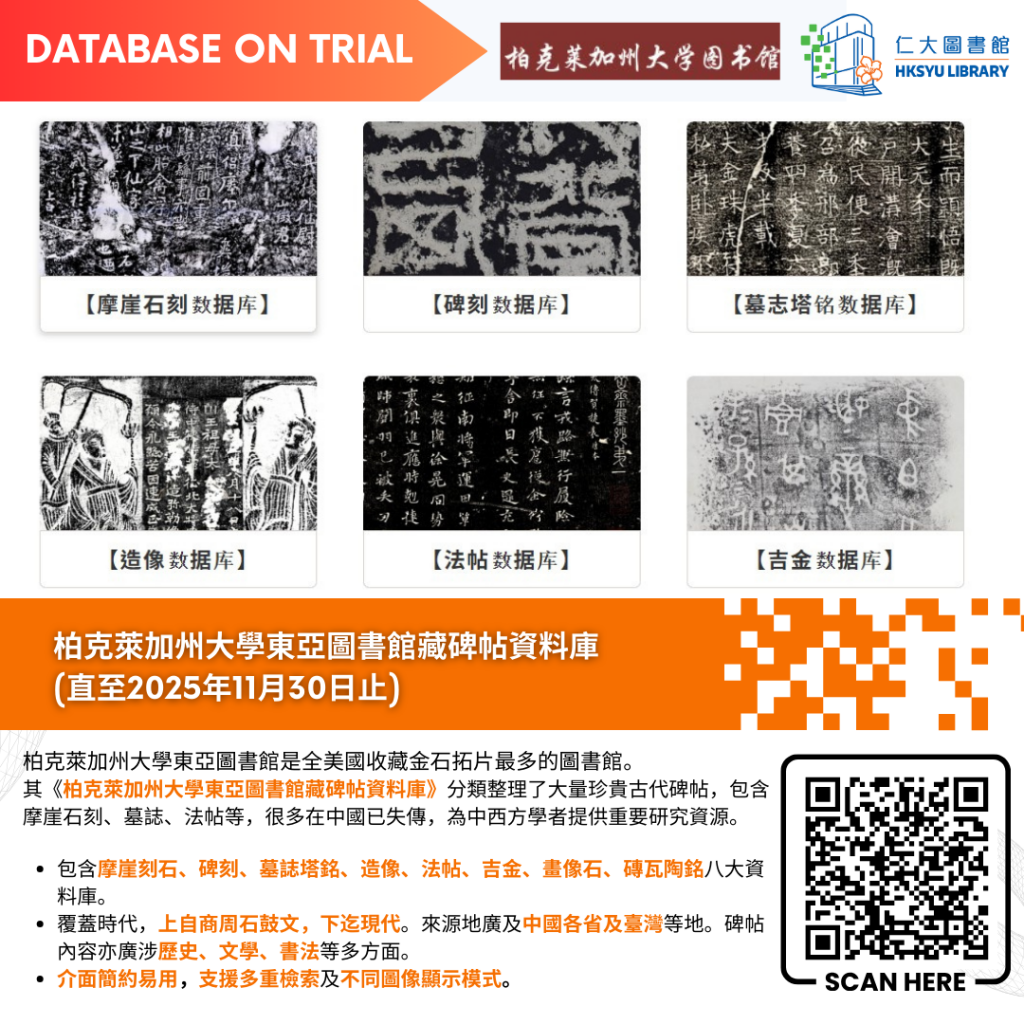
【試用資料庫】柏克萊加州大學東亞圖書館藏碑帖資料庫

柏克萊加州大學東亞圖書館藏碑帖資料庫 (Chinese rubbings in the C. V. Starr East Asian Library University of California, Berkeley) 現已開放試用。 

柏克萊加州大學東亞圖書館收藏約2800種、28000多份金石拓片,是美國最大的此類收藏。拓片涵蓋商周到現代,內容涉及歷史、文學、書法、官制等多方面。其《柏克萊加州大學東亞圖書館藏碑帖資料庫》分類整理了大量珍貴古代碑帖,包含摩崖石刻、墓誌、法帖等,很多在中國已失傳,為中西方學者提供重要研究資源。

試用期於2025年 11月 30日結束。歡迎試用!

資料庫連結: https://bit.ly/chineserubbing

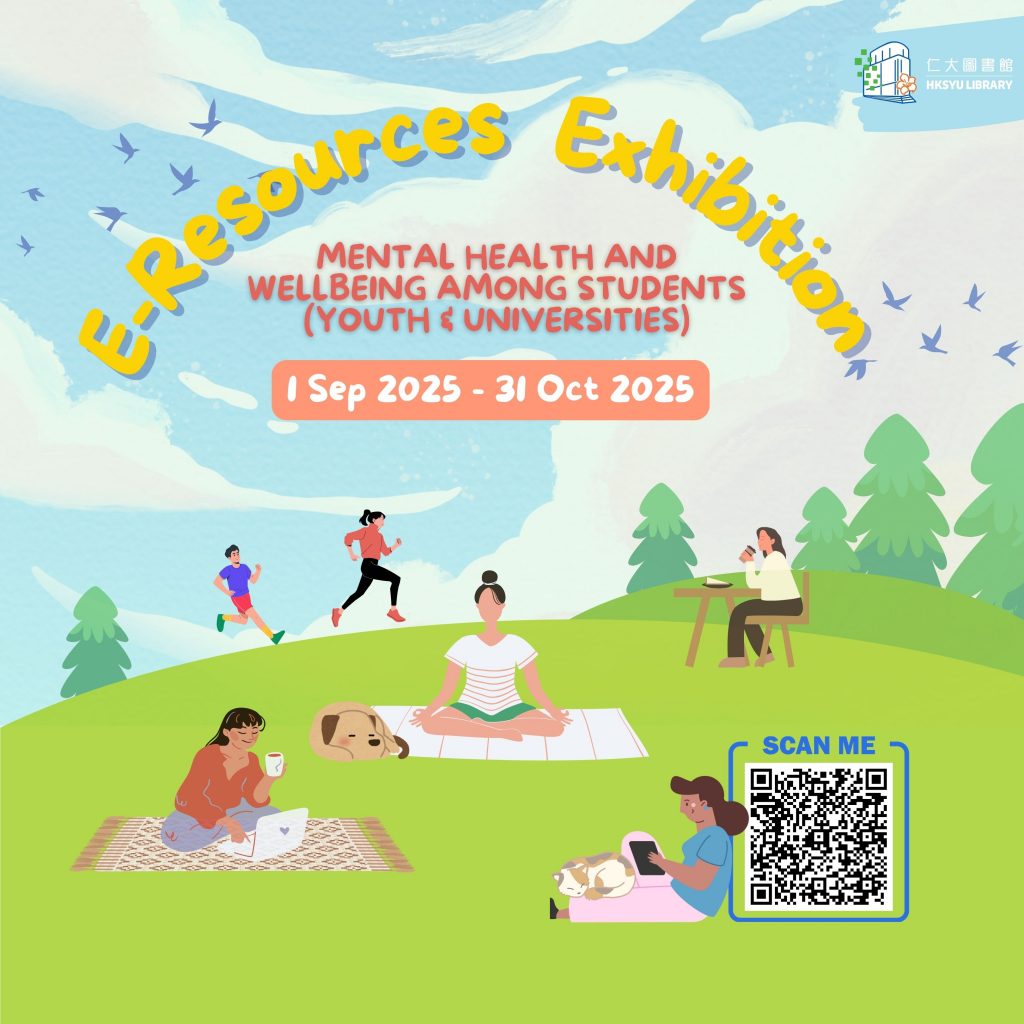
【電子資源展覽】青少年和大學生的心理健康和幸福

開學已經一段時間,你會對學業成績和大學生活感到壓力與焦慮嗎?心理健康和學業表現一樣重要,只有身心都健康,才能長期保持高效表現同快樂。

今個月圖書館推出線上電子資源展覽,主題為「心理健康與幸福」,圖書館為你們揀選了一些有關心理健康與幸福的電子資源, 包括電子書、電子期刊和本地電視影片等。讓你隨時隨地,保持身心健康,享受新學年生活!

相關線上電子資源可以透過以下連結瀏覽:
https://bit.ly/er_mhw

【E-Resources Exhibition】Mental Health and Wellbeing Among Students (Youth & Universities)

It’s been a while since the semester started. Are you feeling stressed and anxious about your academic performance and university life? Mental health is just as important as academic performance. Maintaining both physical and mental health is crucial for maintaining efficient learning and a happy life over the long term.

This month, the Library is launching an online digital resource exhibition themed “Mental Health and Well-being.” We’ve curated a selection of digital resources related to mental health and well-being, including e-books, e-journals, and local TV programs. Let’s stay mentally healthy together anytime, anywhere, and enjoy the new school year!

Browse all e-resources via the link below:
Exhibition period: 1 Sep 2025 – 31 Oct 2025

Access link: https://bit.ly/er_mhw

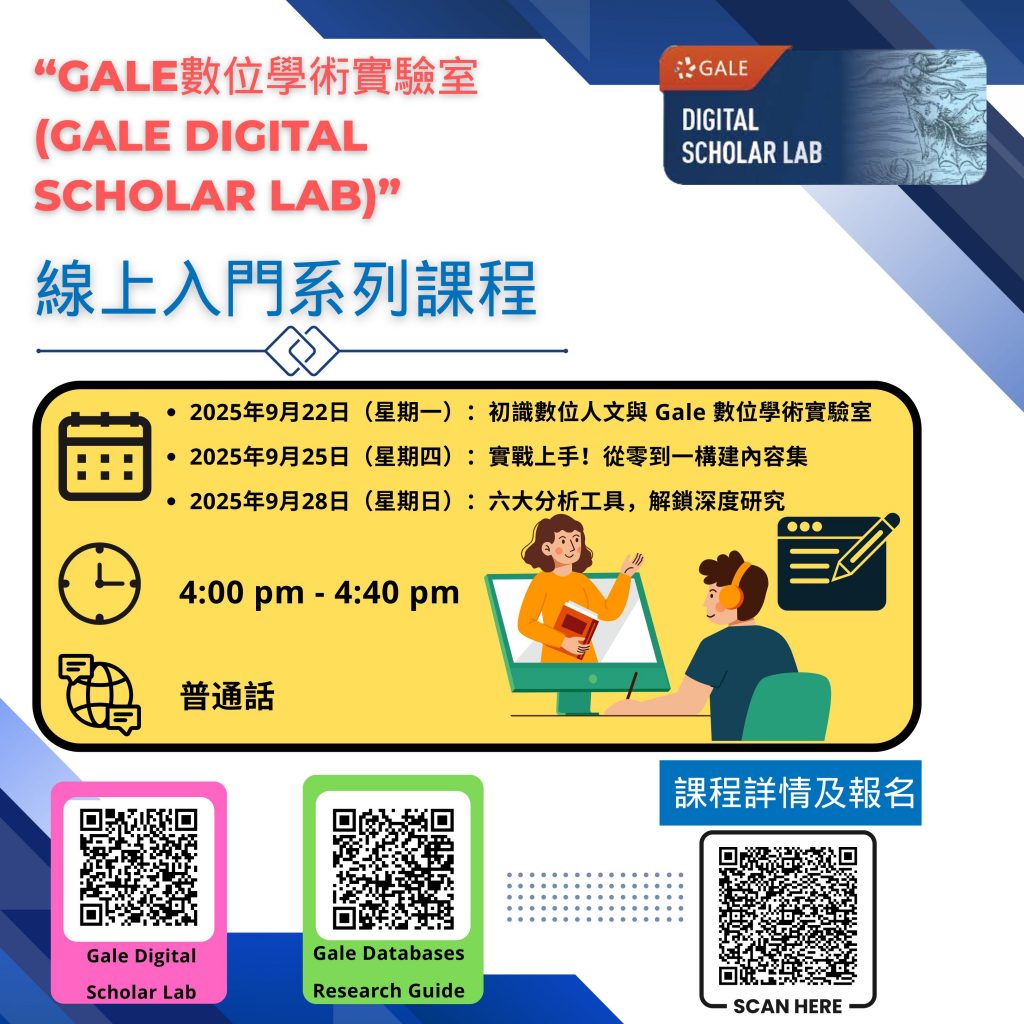
【Gale Digital Scholar Lab 線上課程】“Gale數位學術實驗室 (Gale Digital Scholar Lab)”入門系列課程

隨著數字技術的發展,數字人文(Digital Humanities)成為熱點,但文獻收集和工具開發仍然繁瑣。Gale數字學術實驗室簡化研究流程,讓你能專注於資料挖掘、理論檢驗與深入分析。

“Gale數字學術實驗室”入門系列課程將結合Gale《數字人文入門》的內容和實際經驗,分享平台使用技巧,幫助你輕鬆進入數字人文研究的領域,體驗其獨特魅力。

日期及內容:

  • 2025年9月22日(星期一):初識數位人文與 Gale 數位學術實驗室
  • 2025年9月25日(星期四):實戰上手!從零到一構建內容集
  • 2025年9月28日(星期日):六大分析工具,解鎖深度研究

 時間:4:00 pm -4:40 pm
地點:線上 (騰訊會議)
語言:普通話
主講人:石亦宸 (Gale培訓師)
騰訊會議號:585-4152-9931

課程詳情及報名,請登入連結:https://bit.ly/galewebinar 

點擊以下連結,使用我們圖書館的Gale數位學術實驗室 (Gale Digital Scholar Lab) 資料庫: https://bit.ly/libgaledslab

想了解我們圖書館訂購的其他Gale電子資料庫?點擊Gale 資料庫研究指南 (Gale Databases Research Guide):https://bit.ly/galeguide

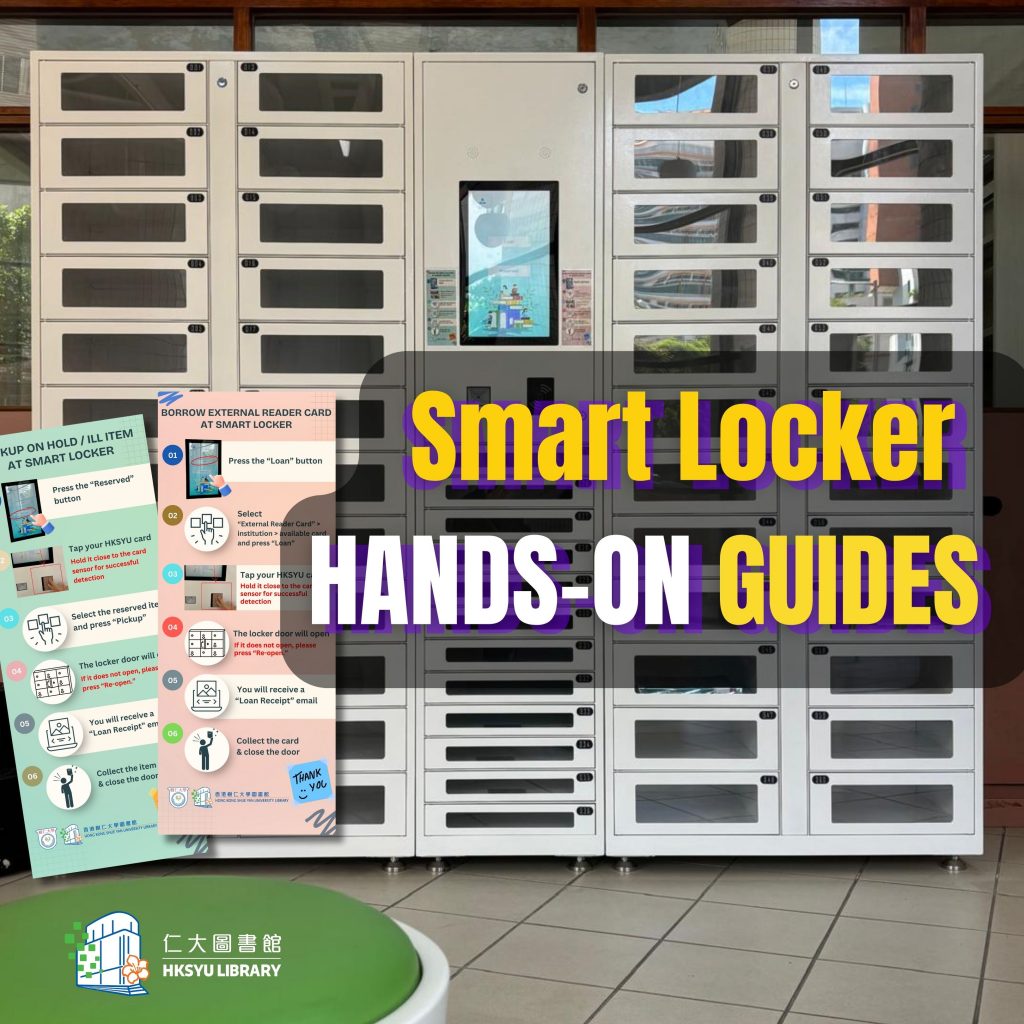
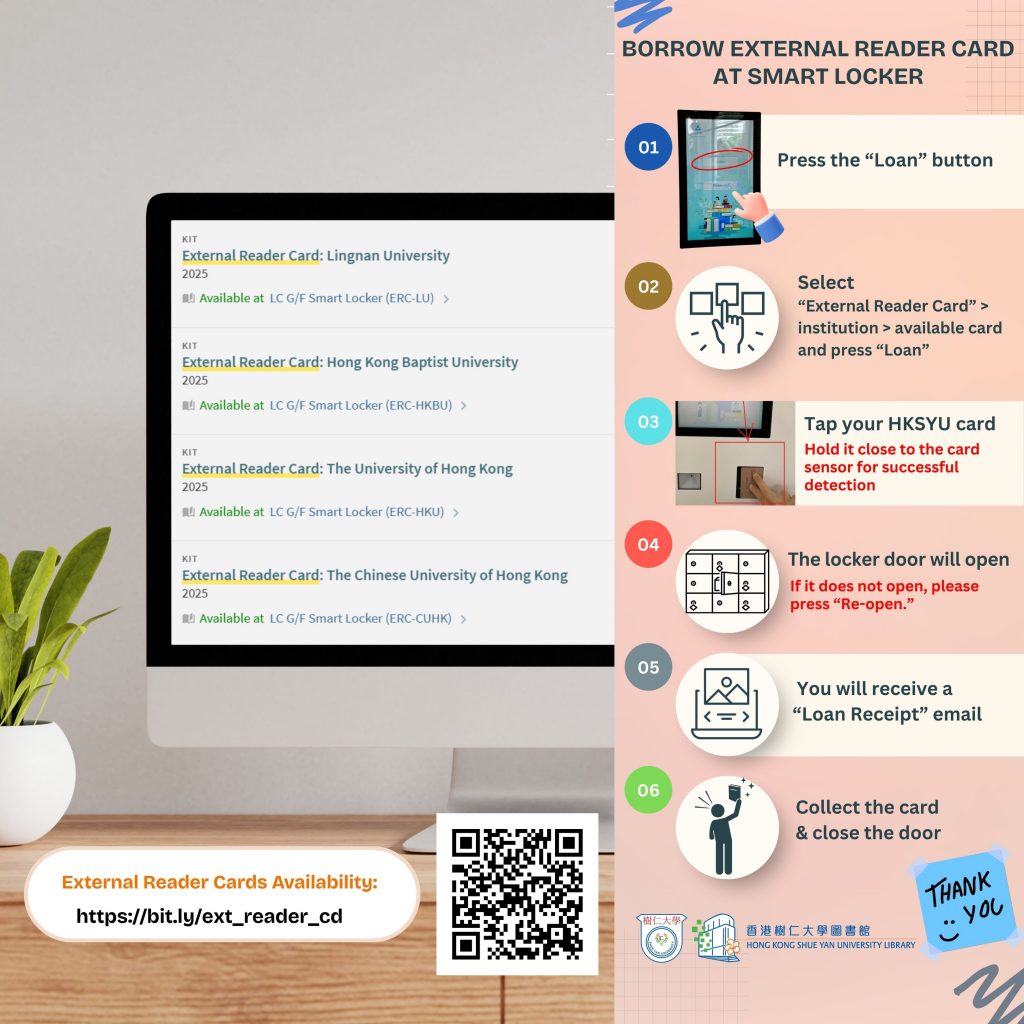
【New Facilities】Smart Locker

You may have observed that we have recently installed the new Smart Locker in the G/F. You can now collect reserved items (including ILL items)  and borrow four types of external reader cards without visiting the services counter.

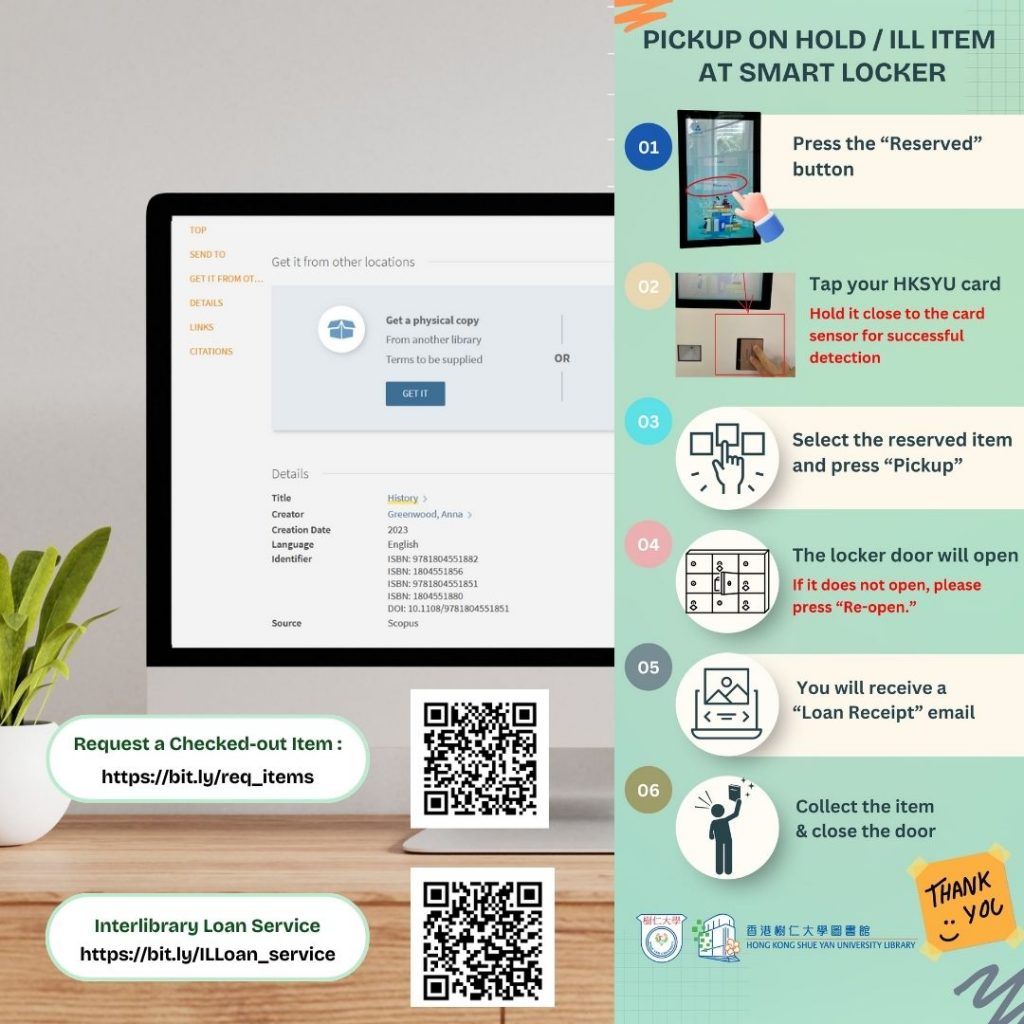
Steps to Pick Up On-Hold / ILL Items at the Smart Locker:

Step 1 : Press the “Reserve” Button
Step 2 : Tap your student / staff card
Step 3 : Select the reserved item and press “Pickup”
Step4 : The locker door will open (If it does not open, please press “Re-open.”)
Step 5 : Collect the item & close the door

Steps to Borrow an External Reader Card at the Smart Locker:

Step 1 : Press the “Loan” Button
Step 2 : “ Select External Reader Card” > institution > available card and press “Loan”
Step 3 : Select the reserved item and press “Pickup”
Step4 : The locker door will open (If it does not open, please press “Re-open.”)
Step 5 : Collect the item & close the door

?You will receive a “Loan Receipt”  email after completing the process. 

大家有沒有留意到圖書館在地下新增了智能儲物櫃?讀者無需到服務櫃檯,便可以自行領取預約書籍(包括館際互借資料)和借用部分其他大學圖書館的讀者證。

領取預約書籍及館際互借資料的步驟 :

第一步 : 按”Reserve”按鈕
第二步 : 拍卡認證
第三步 : 選擇預約的物品后按”Pick Up”
第四步 : 櫃門打開 ( 如果櫃門沒有打開 ,請按”Re-Open” )
第五步 : 領取物品後關門 

借用校外讀者證的步驟 :
第一步 : 按“Loan”按鈕
第二步 : 按“External Reader Card” >“institution” > “available card” 最後按 “Loan”
第三步 : 拍卡認證
第四步 : 櫃門打開 ( 如果櫃門沒有打開 ,請按”Re-Open” )
第五步 : 領取物品後關門

完成後,借閱收據會透過電郵發送。